Sleep wildly off is it a setting?

I am not sure if there is a setting not setup correctly or if this is a bug.
Apple Health has my sleep data from my Apple Watch. Cronometer is very very wrong though it says it is importing from Apple Health. Example last night I slept 7:37. Cronometer shows 14:30.
What am I doing wrong?
iPhone 14, os 18.3.1
Answers
-
Opening the app this morning, daily sleep shows 12:15am- 3:17pm. It is currently 9:51am. I went to sleep at 1:33am and woke at 8:18am. Apple Health accurately states I slept 7:05.
Somehow the app has inaccurately predicted the future. It did not read Apple Health at all. I have the app set to import everything from Apple Health but not write to it.
-
I am having the same problem. My Apple Watch accurately says 8 hrs but Cronometer says 17 hours. How do I fix this?
-
I'm having this exact same issue. Every day Cronometer has the wrong sleep times compared to the accurate data in Apple Health app. This has to be a bug of some kind. It's off by several hours, saying I got 11 hour sleep when it was more like 6.5-7 hours.
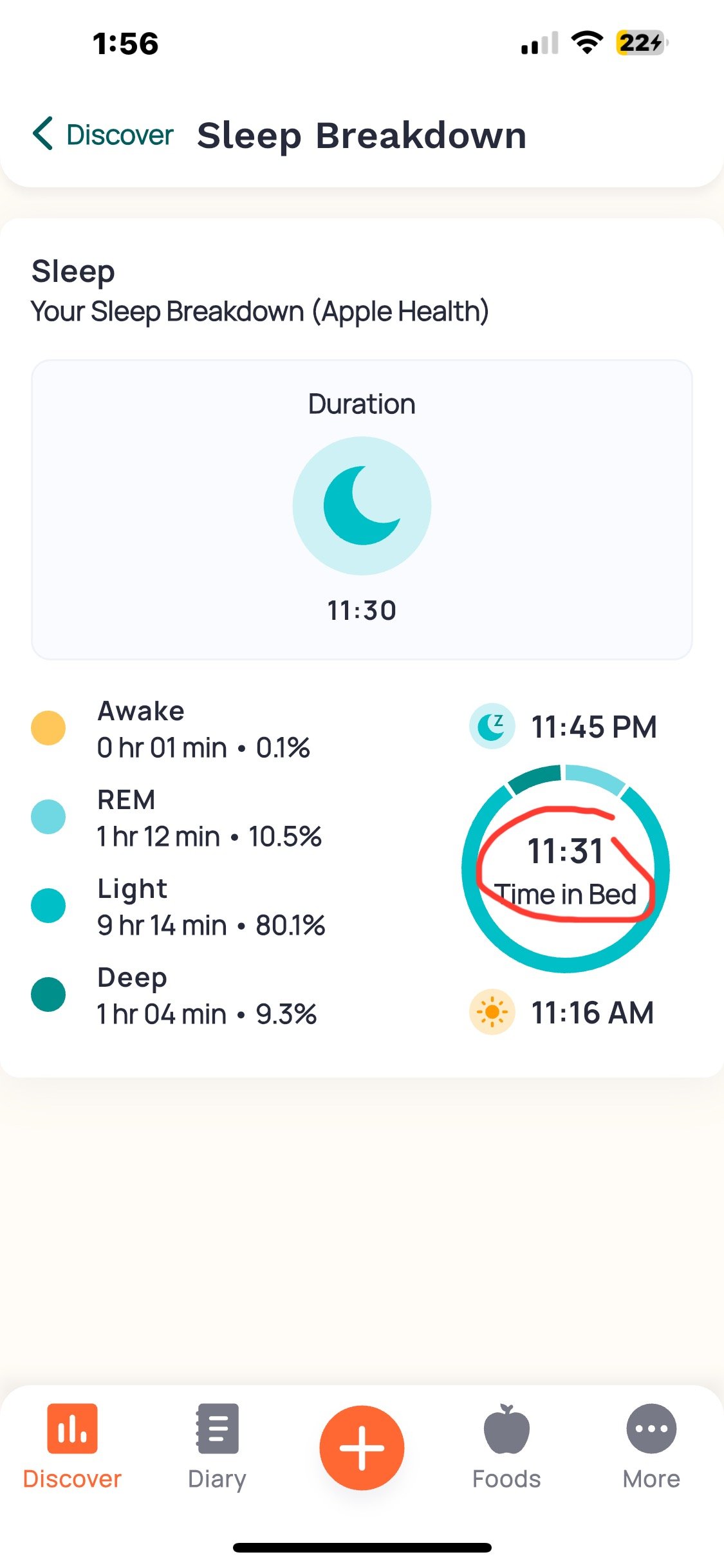
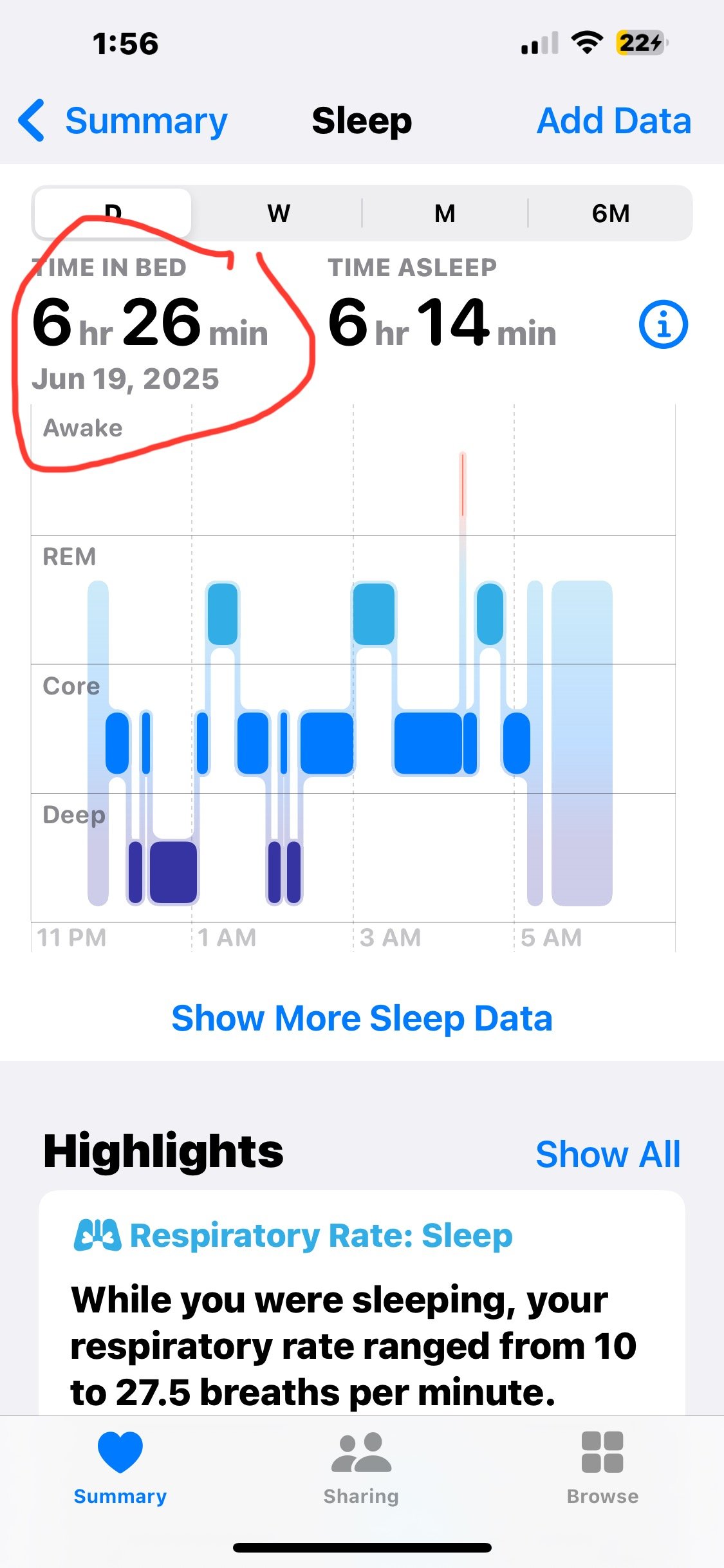
-
Same problem. This is happening because either you use multiple devices or multiple software apps to track “sleep”. Cronometer does NOT provide a way to choose which sleep data to import. Instead it just add all sleep data is found in Apple Health. After some research I’ve found a topic in the manual that clearly states that the user should “DISABLE OTHER APPS FROM ADDING DATA TO APPLE HEALTH/SLEEP”. My opinion is that it’s a major mistake, because some of my apps don’t work properly if they don’t write their data there. So (as I’ve mentioned above) Cronometer should fix this. It simply should provide a way to choose which sleep data to import.
-
Agreed. I'm using AutoSleep to track my sleep and it's too good to kick out of the picture. Cronometer needs to learn how to play nicely in the sandbox with other apps.
-
Same issue here. The sleep amount appears twice. iOS device. If I go back to that day where it appears twice and pull down to update that day then it corrects and only appears once. It seems like a bug.
-
-
@Cathycr when you say "pull down to update..." I'm not sure what you mean. I think you might be right about double entry (since the numbers are roughly double, at a glance) but I don't know where to navigate to on my iPhone to do the pulling down you describe or to edit the amounts.
-
Pull down to update is an iOS movement. To update the apple health data, within the Cronometer app, when in the diary for that day, tap and hold, then drag down. This will force Cronometer to update the apple health data. You will not manually need to update the duplicate entries. It will force Cronometer to correct the duplicates. Hope this helps.
