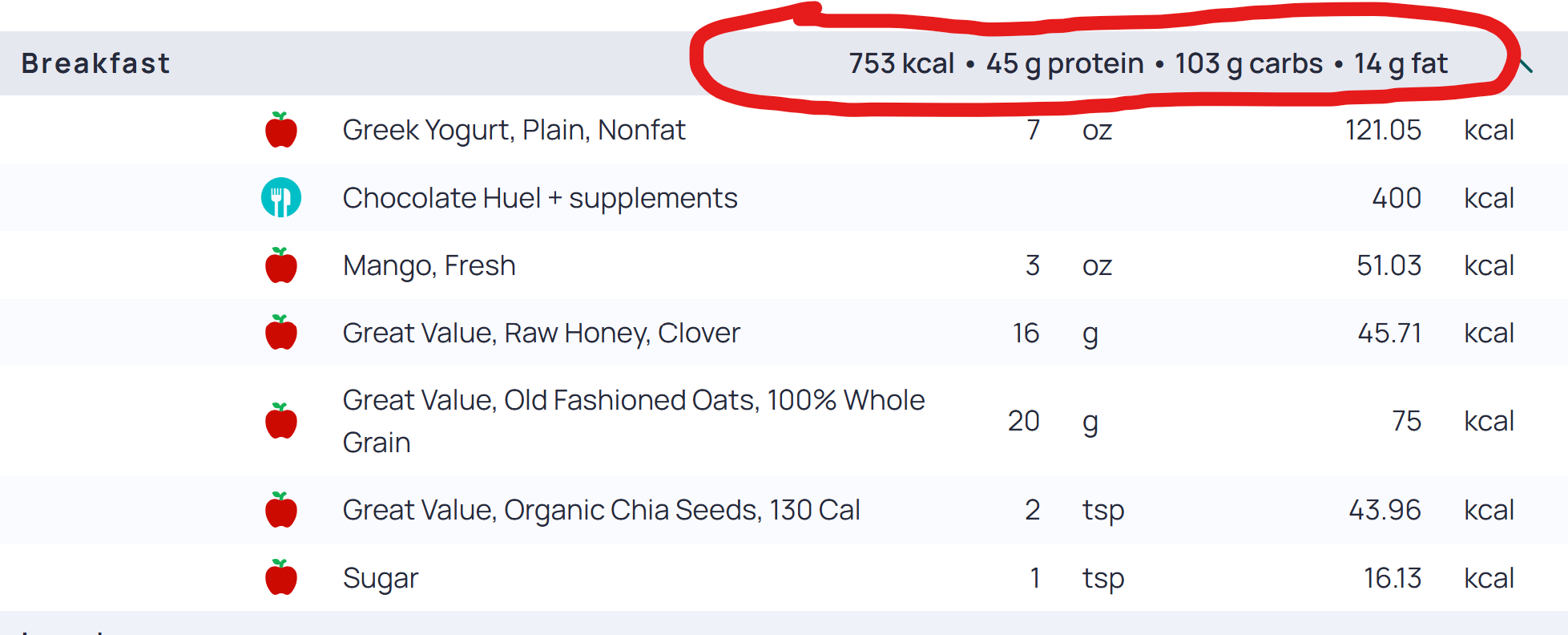
Add Total Calorie Count for Each Meal Category


I would like to see the calorie count beside every meal category (I.e. breakfast, lunch, dinner, snack). This will help me track the amount of calories I consume throughout the day by category type. Thanks!
Comments
-
I don’t see that summary in my display. You must have set it somewhere, Can you possibly enlighten us? Thanks!
-
On the bottom of your app, tap "more". Then select "display". Choose "diary settings". Make sure "show groups" is on. Then under "show group subtotals" choose "macronutrients".
-
I just found this post that may help you if my last comment didn't make sense.
https://support.cronometer.com/hc/en-us/articles/360018306311-Diary-Groups