Apple Health not listing Heart Rate in the "Cronometer Allowed to Read" section


Does anyone have any ideas on why Heart Rate isn't showing in the "Allowed to Read" section for Cronometer in Apple Health? Cronometer is importing exercise and sleep just fine.
Best Answer
-
Just an update to this. The new version has fixed all my issues.
Answers
-
I think this is how I did it?
In your Apple App, under your Profile
Under Privacy
Click on AppsToggle on the relevant apps.
-Allow to writeData from Cronometer
-Allow to read
-Toggle on the Heart Rate and other relevant data. -
I'm having the same issue but with heart rate, weight, height, VO2 Max, etc. It was working last month but I've since upgraded my phone and those permissions don't show in the "read" section anymore.
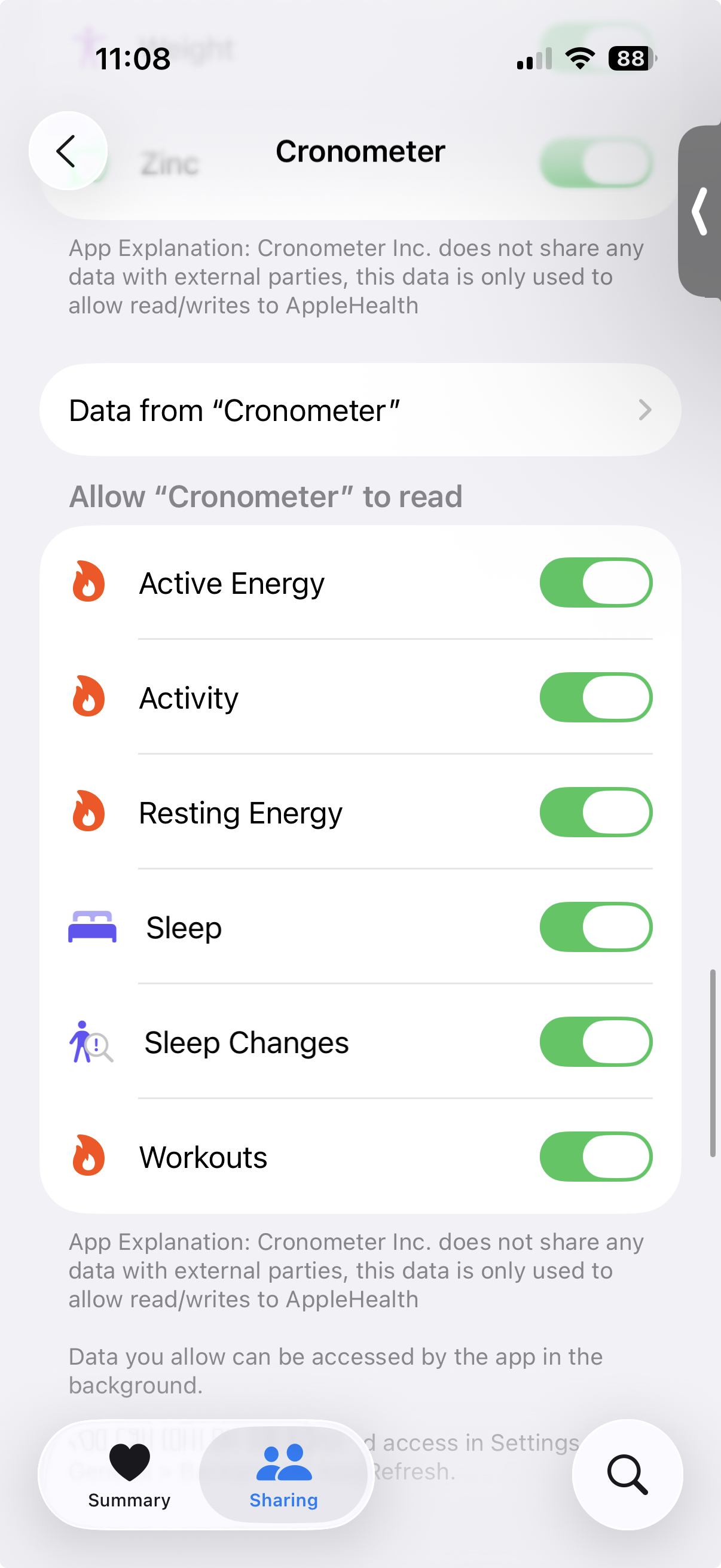
I have an open support ticket but have yet to get a resolution.
-
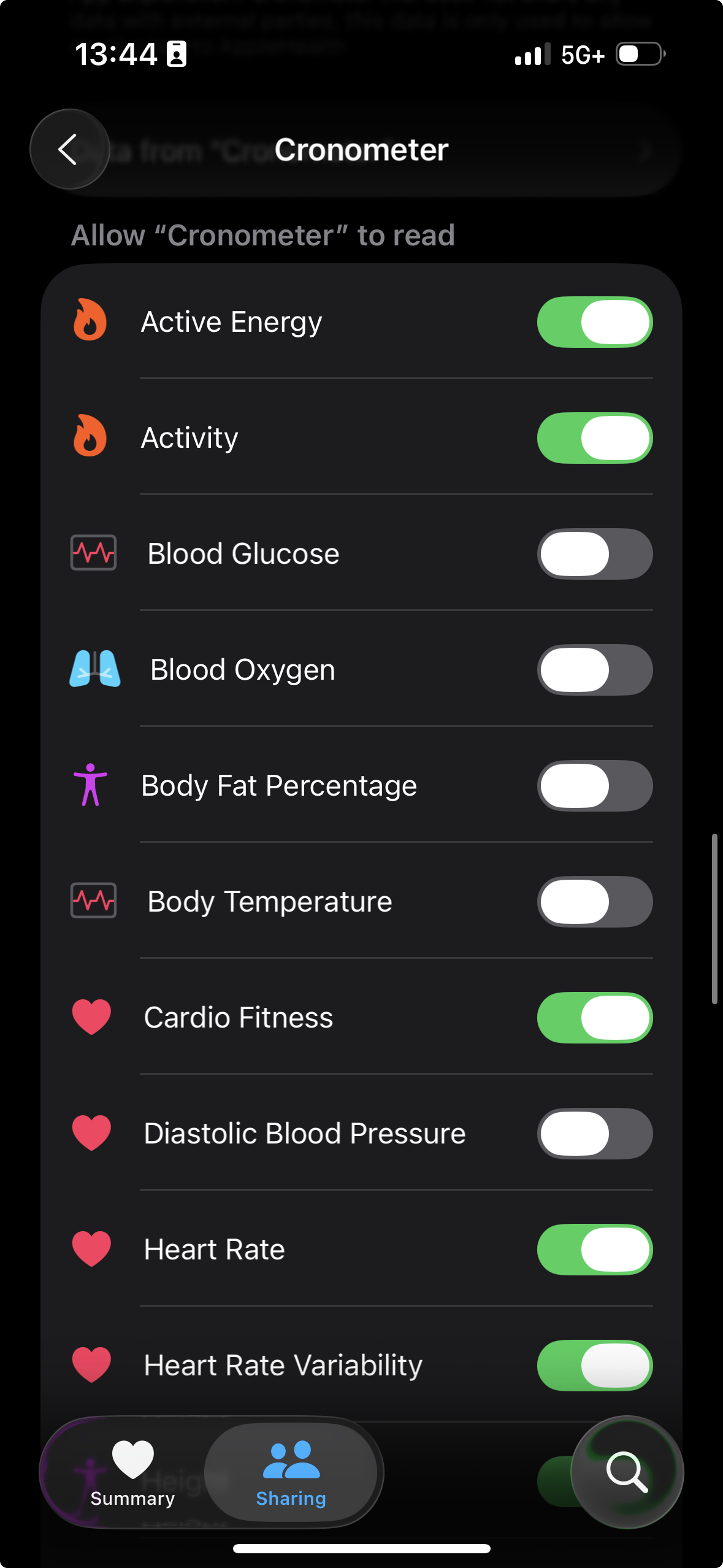
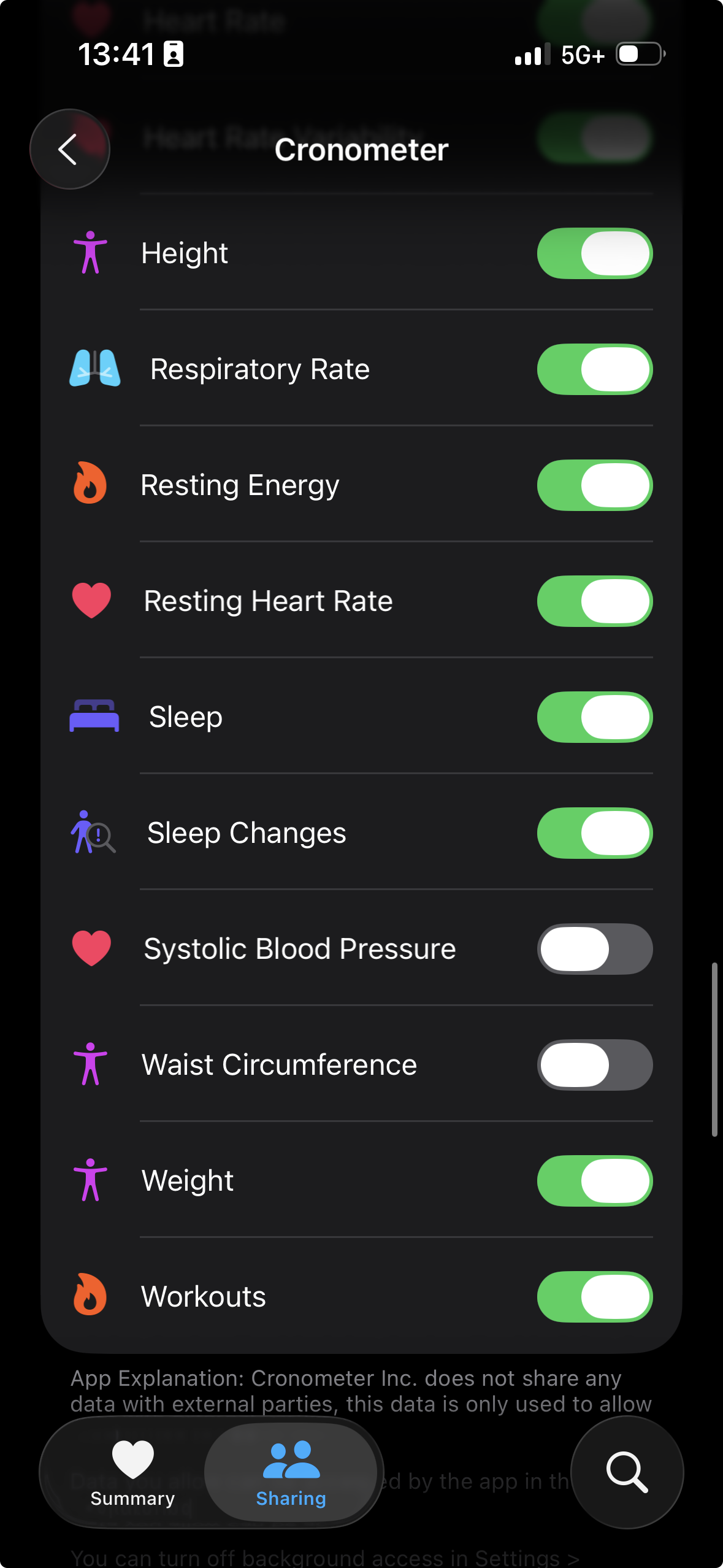
There is something wrong for sure. Here is my friends permissions:
-
@morty - Wow! How does your friend have so many permissions??? Mine are the same as yours. I hope I hear back from support.
-
Update
I got this on my support ticket yesterday:
Sara (Cronometer)
Nov 4, 2025, 2:11 p.m. PST
Hi Ryan,
Thanks for promptly bringing this to our attention. The issue has been reported by other users and our developers are currently looking into it.
I have passed your information to our team and we are doing everything we can to resolve the issue as quickly as possible! We will reach out to you if we require further information and will update you when the issue is resolved.
Thanks for your patience, and please don't hesitate to let me know if I can be of assistance in the meantime.
Kind regards,
Sara -
@morty - thanks for the update. I, too, have received a response and have sent them a screenshot of what I'm seeing. Hopefully, they can get it straightened out.